
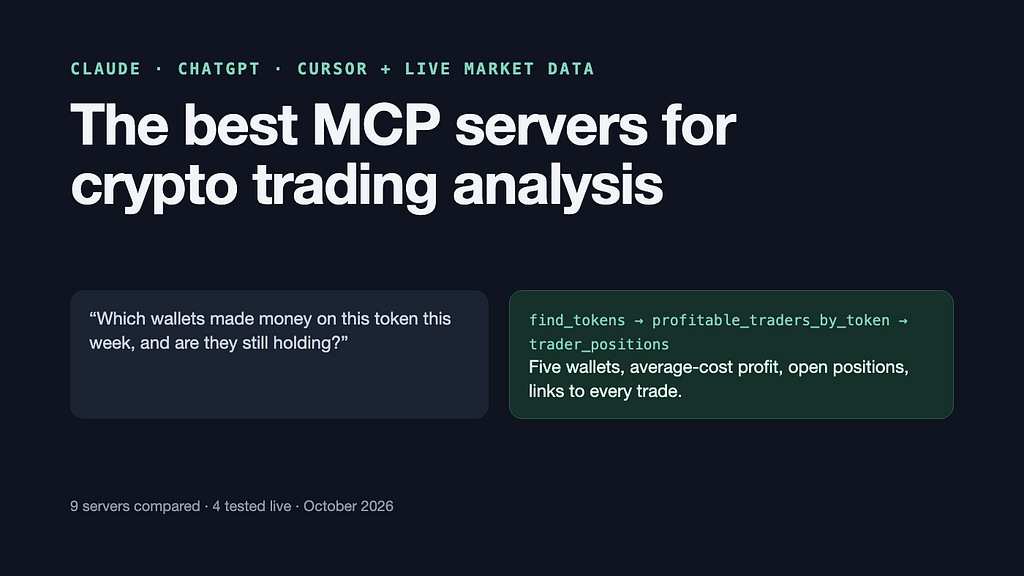
Claude and ChatGPT can’t see live crypto markets on their own. I compared nine MCP servers that fix that, tested four, and ran the top pick on a real trade.
Ask ChatGPT who bought a coin yesterday and you get a guess. The chatbot has no view of the market. What it knows comes from text it read months ago. It can explain a chart pattern, but it can’t tell you what the price did this morning.
The fix is a plug-in standard called MCP, short for Model Context Protocol. An MCP server is a data source that an AI chatbot can call while it writes its answer. Connect a crypto MCP server to Claude, ChatGPT or Cursor, and “who bought this coin?” becomes a lookup against real trades.
I checked nine crypto MCP servers against six questions traders ask, using each vendor’s docs. On 6 October 2026 I tested four of them myself: Bitquery, CoinGecko, DexPaprika and altFINS. Then I ran the top pick on one live question: who made money on a Solana token that rose 52% in a week?
Disclosure: This story was written with the assistance of an AI writing program (Claude), which also ran the queries. I checked every number against the raw output. There are no affiliate links.
Quick answer: the best crypto MCP servers in October 2026
Best for on-chain trading analysis (wallets, profit, DEX trades, Hyperliquid futures): BitqueryBest free starting point: CoinGecko, which has a public server that needs no keyBest for labelled “smart money” wallets: NansenBest for Solana wallet profit: BirdeyeBest if you write SQL: DuneBest for market data with news and chart analysis: CoinMarketCapBest for ready-made chart signals: altFINSBest free DEX pool data: DexPaprikaBest for social sentiment: Santiment
What is a crypto MCP server?
A crypto MCP server is a connector that gives an AI chatbot live market or blockchain data through a list of tools. Ask Claude which Hyperliquid futures markets have the most buyers, and Claude picks a tool from the server’s list, the server runs the query, and Claude reads the rows back to you. Expand the answer and you can see the exact tool call.
The AI is only as good as the tool it calls. A server built on exchange price feeds can’t tell you which wallets bought. A server built on blockchain trades can’t tell you what people say about a coin online. So the useful question is which server holds the data your question needs.
How I compared them: six trader questions
What is this coin worth? Price, market cap and volume across exchanges.What did a small token do? Price history for a token that trades only on a decentralized exchange (DEX), minute by minute.What is moving? Trending tokens and fresh launches.Who is buying, and who made money? Trades and profit for each wallet.Where is the borrowed money? Data on perpetual futures, the no-expiry contracts most crypto traders use to trade with borrowed funds. That means funding rates (the hourly fee one side pays the other), open interest (the value of all open contracts) and liquidations (positions closed because the trader’s margin ran out).What is the crowd saying? Social sentiment and ready-made chart signals.
What each server can answer, from each vendor’s tool list and docs on 6 October 2026. Chart made by the author.
The same comparison in text, for phone readers and anyone who can’t see the chart:
Bitquery answers 2, 3, 4 and 5; partly 1; not 6. Free 7-day trial.CoinGecko answers 1, 2 and 3; partly 4 (paid) and 5; not 6. Free, no key.Nansen answers 1, 2, 3 and 4; partly 5 and 6. Trial credits.Birdeye answers 1 and 2; partly 3 and 4; not 5 or 6. Free key.Dune answers 2 and 4 through SQL; partly 1, 3 and 5; not 6. 14-day trial.CoinMarketCap answers 1 and 6; partly 3 and 5; not 2 or 4. Free key.altFINS answers 1 and 6; partly 3; not 2, 4 or 5. Free key.DexPaprika answers 3; partly 1 and 2; not 4, 5 or 6. Free, no key.Santiment answers 1 and 6; partly 3; not 2, 4 or 5. Free tier.
“Partly” means a paid tier, a narrower data set, or only some of the question. Everything comes from each server’s own tool list or docs on 6 October 2026.
1. Bitquery MCP: best for on-chain trading analysis
Best for: who traded, at what price, and with what result.
Bitquery reads trades straight from the blockchain. Its server covers DEX trades on Ethereum, Solana, BNB Chain, Base, Arbitrum, Optimism, Polygon, Tron, Robinhood Chain and Arc. It also covers Hyperliquid, a crypto futures exchange with its own blockchain, and Polymarket, a prediction market.
What it answers from its own data:
Price candles down to one second for any token, including ones launched an hour ago.Trending tokens, new launches, and the first wallets to buy each launch.Every trade a wallet made, its open positions, and its profit at average cost.Hyperliquid funding, open interest, liquidations and trader positions.Polymarket odds, trades and top wallets, plus address labels and fund tracing.
Two answers it gave me on 6 October 2026:
In all 15 of the largest Hyperliquid markets, most accounts were long: 65% on BTC, 73% on ETH and up to 85% on a gold contract. Every long is matched by a short of the same size. So a long-heavy account count means many small longs facing fewer, larger shorts. On BTC, ETH and SOL, funding sat at the exchange’s default rate of about 11% per year, so the crowd of longs paid nothing extra.In the 24 hours to 13:30 UTC, BTC had 2,282 liquidations worth $15.5 million, and 70% of them hit longs. On xyz:SPCX, a futures market on SpaceX, 1,634 liquidations worth $9 million hit shorts 81% of the time, while its price rose 8.5%.
Weak spots: the trade and price tools keep about 30 days of history (its own coverage check said 30.6 days). It has no social or news data. It prices coins from on-chain trades and has no exchange order-book data. It has no ready-made indicators: you get candles, and the AI works out RSI or moving averages itself.
Setup and price: hosted at https://mcp.bitquery.io with browser sign-in. A 7-day trial gives 100 credits with no card. Trading MCP costs $19 per month for 32 trading tools; AI Investigation MCP costs $149 per month for every tool (product page, setup guide).
2. CoinGecko MCP: best free starting point
Best for: prices, market caps and DEX pool data with no sign-up.
CoinGecko runs a public server at https://mcp.api.coingecko.com/mcp that needs no key. The server works differently from the rest: it has two tools, one that searches the CoinGecko API docs and one that runs code against the API. The AI writes a short script for each question.
On the free server I got ORCA’s price ($2.57), market cap ($155.6 million) and 24-hour change (+30%). The server also returned daily candles for ORCA’s main pool, the latest 300 trades with wallet addresses, the trending list and futures data. CoinGecko’s daily ORCA closes matched Bitquery’s within a cent.
Weak spots: the “top traders” call returned “Not found” on the free server. CoinGecko’s docs put top traders and holders on the Analyst plan, $129 per month, capped at 50 wallets per token. A paid key starts at $35 per month (docs, pricing).
3. Nansen MCP: best for labelled “smart money”
Best for: knowing who owns a wallet as well as what it did.
Nansen’s server lists 50 tools: token prices and candles, who bought and sold a token, wallet profit, holders, Hyperliquid positions, prediction markets and technical indicators. Its edge is labels. Nansen tags funds, exchanges and its own “smart money” list, and those names come back with the data.
Weak spots: no funding rates or open interest in the tool list, and no social data. Calls cost credits: the free tier gives 100 trial credits and then tops up to 10 per day, while one profit leaderboard call costs 150. Pro costs $69 per month (tool list, credits).
4. Birdeye MCP: best for Solana wallet profit
Best for: Solana traders who want top traders and wallet profit per token.
Birdeye covers prices, candles, token trades, holders and top traders on many chains, plus wallet profit on Solana. Birdeye’s docs call the server keyless, but my keyless call came back “Unauthorized”, so plan on a free API key.
Weak spots: wallet profit is Solana only, and the free tier allows one request per second. Lite costs $39 per month (docs).
5. Dune MCP: best if you write SQL
Best for: custom questions no ready-made tool answers.
Dune’s server gives the AI SQL access to Dune’s tables across more than 100 chains, plus its community dashboards. Anything a table holds, the AI can query: top wallets, flows, or a protocol’s fees.
Weak spots: the answer is only as good as the SQL the AI writes, and every run costs credits. The free plan has no API access after a 14-day trial; Analyst costs $75 per month (docs).
6. CoinMarketCap MCP: best for market data with news
Best for: one place for quotes, chart analysis, news and market narratives.
CoinMarketCap’s server has 12 tools covering quotes, technical analysis, on-chain and futures metrics, narratives and news. A free Basic key works, and a pay-per-call route charges 0.01 USDC per request with no key (docs).
Weak spots: market-wide numbers only, with no wallet-level data.
7. altFINS MCP: best for ready-made chart signals
Best for: traders who want indicators and chart patterns without doing the maths themselves.
altFINS covers more than 150 indicators and 130 signal types, plus 35 candle patterns, across more than 2,000 assets. On my test, altFINS flagged ORCA as overbought on 5 October, with RSI above 70 and Stochastic above 80, and listed it as an unusual-volume gainer. The free Basic plan includes MCP access (docs).
Weak spots: chart analysis only, with no wallet data. altFINS put ORCA’s market cap at $69 million, while CoinGecko and Bitquery both showed about $155 million. Check market caps against a second source.
8. DexPaprika MCP: best free DEX pool data
Best for: pools, liquidity and token details across 36 chains, free.
DexPaprika’s server at https://mcp.dexpaprika.com/streamable-http needed no key on my test and returned ORCA’s details and its pools. Token candles asked for a paid key (Dev, $30 per month), and the server pointed me to free pool candles instead (pricing).
Weak spots: no wallet tools, so it can’t say who bought.
9. Santiment MCP: best for social sentiment
Best for: what the crowd is saying, next to price and on-chain metrics.
Santiment’s seven tools cover price, market cap, social volume and sentiment, trending stories and analyst insights, with metrics such as exchange inflows and daily active addresses. The free tier allows 500 calls per day (guide).
Weak spots: time series only, with no wallet-level data.
Also worth knowing: CryptoQuant (exchange flows and miner data), Arkham (entity labels and counterparties), Glassnode (on-chain metrics, with 30 days of history free and no key) and Token Terminal (protocol fees and revenue). Alchemy’s server gives raw node data and no trading data. Moralis’s MCP package has had no update since September 2025. Messari, now owned by Blockworks, sells its server only through its sales team.
Walkthrough: who made money on ORCA this week?
ORCA, the token of the Solana exchange Orca, rose 52% in the seven days to 6 October, from $1.67 to $2.54. Trading ran at about $1 million per day from 30 September to 3 October, then jumped to $6.1 million on 4 October and $10.3 million on 5 October. I asked Claude, with Bitquery connected, who made money on the move.
Step 1: find the token. Claude found ORCA in a trending_tokens screen of the week’s gainers. The screen returns the token’s address as well as its ticker. That matters, because anyone can create a coin called ORCA.
Step 2: screen the wallets. profitable_traders_by_token ranked every wallet that traded ORCA that week. The top three:
Wallet Ffz3…Z47h bought $3.13 million of ORCA in 161 trades over 29 hours and sold nothing. Estimated gain: $719,012.Wallet FkaL…3MZp made 9,790 trades, buying $3.54 million and selling $2.82 million. Estimated gain: $112,852.Wallet 7xD1…aLrV bought $168,014 and sold nothing. Estimated gain: $52,320.
Step 3: check the profit properly. The screen estimates profit as sales minus purchases, plus the value of what the wallet still holds. trader_positions works it out again at average cost and splits cash already taken from gains on paper.
Wallet 1 paid an average of $2.07 per ORCA. At $2.55, its 1.51 million tokens were worth $3.86 million. Its $725,376 gain was all on paper.Wallet 3 looked the same: a $52,684 gain on paper, nothing sold.Wallet 2 was the only one to take profit: about $100,000 realized, a 3.7% return on what it sold, plus about $20,000 on paper at that hour’s price. It held each position for about seven hours on average.
Step 4: read the trades. trader_trades lists every swap with its transaction hash. Wallet 1’s five largest buys were each exactly $25,000 in USDC, routed through Jupiter. In one of them, at 19:02 UTC on 4 October, the other side of the trade was wallet 2 (transaction on Solscan).
So wallet 2 fills other people’s orders. It acts as a market maker, a trader that quotes both buy and sell prices and earns the gap. Copying it would teach you nothing.
Wallet 1’s buys made up 19% of all ORCA trading on 4 and 5 October, the two days the price climbed from $1.80 to $2.42. Bitquery’s label lookup had no name for the wallet. Its largest buys came in identical $25,000 blocks, which looks like a fund or a treasury desk working a large order. Nothing on-chain proves who owns it.
The lesson: a “most profitable traders” list is mostly paper gains and market makers. Ask the AI two follow-ups every time. Is that profit realized or on paper? Is this wallet a market maker?
How do you connect a crypto MCP server to Claude or ChatGPT?
Hosted servers take about two minutes:
Claude (web or desktop): Settings → Connectors → Add custom connector. Paste the server URL (for Bitquery, https://mcp.bitquery.io) and sign in when the browser asks.ChatGPT: Settings → Connectors → add a custom connector with the same URL. Bitquery’s guide lists Plus, Pro or Business as the plans that allow it.Claude Code: run claude mcp add –transport http bitquery https://mcp.bitquery.io in a terminal.Cursor: Settings → MCP → Add new MCP server, then paste the URL.
Servers that ask for an API key take it in the connector settings or a header. Servers you install yourself with npm or pip go in the client’s config file, and each project’s README has the exact block.
Connect only the servers a chat needs. Each one adds its tool list to the conversation, and the AI picks tools by reading their descriptions. Two servers with similar tools make it guess.
Prompts worth copying
“Which tokens on Base gained the most this week? Skip anything under $5 million in volume and flag names that look fake.”“Who made the most money on [token address] this week? Check the top five at average cost and tell me which gains are realized.”“Who were the first 20 buyers of [token address] after launch, and how many still hold it?”“Which Hyperliquid markets have the highest share of accounts long, and what does funding cost them per year?”“Show the last 24 hours of Hyperliquid liquidations by market. Were they mostly longs or shorts?”“Who are the top 10 wallets in this Polymarket market, and do any carry exchange labels?”
Where AI trading analysis goes wrong
Paper gains reported as profit. The ORCA walkthrough shows the pattern. Ask whether a gain is realized every time a number looks big.
Junk at the top of every screen. When I sorted Base tokens by weekly gain, the first row claimed a rise of more than 100 million percent, caused by one stray swap. Another showed a fake “USD” coin, with an odd character in its name, valued at $4.6 trillion. Set a minimum volume, and check the contract address before you trust a ticker.
Two numbers for one thing. CoinGecko listed Hyperliquid’s BTC open interest at $3.45 billion. Bitquery said $1.74 billion, and its docs say it counts one side of the book. CoinGecko’s figure is about twice that, which fits counting both sides. Ask what a number measures before you compare servers.
A wallet is not a person. Market makers and exchange accounts show up as “traders”. A bot can sign trades from one address while its tokens sit in another.
Old data. Ask for the time of the newest row in every answer. Bitquery’s lag was zero minutes when I checked, but no server promises that.
Text written by strangers. Token names and memos are written by whoever created them, and the AI reads them as part of its input. A token name can carry instructions. Keep servers that can move money, such as an exchange account with trading keys, out of the same chat as your data servers.
It is not advice. These tools tell you what already happened, quickly. They do not tell you what happens next.
What about exchange MCP servers?
Binance and CCXT both ship servers that can read your account and place trades. Binance’s runs in a separate sub-account with no outside withdrawals. CCXT’s runs on your own machine across more than 100 exchanges, and trading is opt-in (CCXT docs). Both are execution tools, so they sit outside this comparison. Start read-only, and give an AI trading keys only after you trust its analysis.
FAQ
What is the best MCP server for crypto trading?
For on-chain trading analysis, my pick is Bitquery MCP: it covers DEX trades, wallet profit and Hyperliquid futures, including funding and liquidations. Nansen is the closest rival if named wallets matter more to you. For free market-wide prices, start with CoinGecko’s public server.
Can ChatGPT or Claude analyse crypto trades?
Yes, once you connect an MCP server. On their own they have no live prices, so treat any number they give without a tool call as a guess.
Is there a free crypto MCP server?
Yes. CoinGecko (https://mcp.api.coingecko.com/mcp) and DexPaprika both answered my calls without a key. altFINS and Santiment have free tiers, and Bitquery has a 7-day trial.
Can an AI trade crypto for me?
It can, through exchange servers such as Binance’s or CCXT’s. Keep those separate from your data servers, and test with read-only access first.
How far back does crypto MCP data go?
It depends on the server. Bitquery’s trade tools keep about 30 days, Glassnode’s free access covers 30 days, and Dune’s SQL reaches the full history of its tables.
The Best MCP Servers for Crypto Trading Analysis in 2026 was originally published in Coinmonks on Medium, where people are continuing the conversation by highlighting and responding to this story.